The qrcode directive is a custom FreeMarker directive implemented in Fanurio that allows you to create QR codes as inline PNG images. It works as a wrapper around the QR Code generator library.
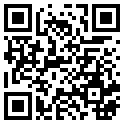
Although the qrcode directive can be used in any invoice FreeMarker template, it's very likely you will be using it in templates that create HTML documents. One way to include inline images in an HTML document is to add them in the src attribute of an img tag as shown in the following examples.
The qrcode directive has the following parameters that allow you to specify how a QR code is created.
-
Text
The text parameter is mandatory and it specifies the text that is encoded by the QR code.
<img src="[@qrcode text='Hello!' /]"/> -
Error correction level
The error_correction_level parameter is optional and it allows you to specify how much damage the QR code is expected to suffer and hence how much error correction may be required. By default, the error correction level is set to MEDIUM since it's used most frequently.
-
LOW - up to 7% damage
-
MEDIUM - up to 15% damage
-
QUARTILE - up to 25% damage
-
HIGH - up to 30% damage
<img src="[@qrcode text='Hello!' error_correction_level='LOW' /]"/> -
-
Border
The border parameter is optional and it specifies the number of modules for the QR code border or quiet zone. A module is the smallest element (black or white square) of the QR code. By default, the border is 10.
<img src="[@qrcode text='Hello!' border=1 /]"/> -
Scale
The scale parameter is optional and it specifies the number of pixels per module. By default, the scale is 4.
<img src="[@qrcode text='Hello!' scale=10 /]"/> -
Version range
The min_version and max_version parameters specify the range from which the QR code version (size) is chosen for the output. The directive chooses the smallest number from the range that can fit the data. By default, min_version is 1 and max_version is 40.
<img src="[@qrcode text='Hello!' min_version=1 max_version=40 /]"/>
QR Payment (QR Platba in Czech) is a Czech Banking Association standard for sharing payment information via QR codes or NFC technology that is used in the Czech Republic and the Slovak Republic (see also Short Payment Descriptor and the format specification).
The following code creates a QR code that contains QR Payment information. The text CZkkbbbbsssssscccccccccc must be replaced with an actual IBAN number. Add it to an invoice template to show a QR Payment code.
<img src="[@qrcode text='SPD*1.0*ACC:CZkkbbbbsssssscccccccccc*AM:${invoice.grandTotal.amount?c}*CC:${invoice.grandTotal.currency.currencyCode}*X-VS:${invoice.number}*DT:${invoice.dueDate?date?string(\'yyyyMMdd\')}*MSG:Faktura ${invoice.number}' border=1 scale=4/]"/>The QR Platba standard uses the MEDIUM error correction level and can be omitted from the qrcode directive since that's what it uses by default. The min_version and max_version parameters can also be omitted.
The European Payments Council Quick Response Code (or EPC QR code) is a QR code with payment information. See also the English and German pages from Wikipedia for more details about the format.
Here's how an invoice can be represented as an EPC code. Please note that you need to supply your own BIC and IBAN numbers.
Table 5.24. Example EPC QR code for an invoice
| Service Tag | BCD | Fixed value |
| Version | 001 | 001 makes BIC mandatory |
| Character set | 1 | 1 = UTF-8 |
| Identification | SCT | SCT or INST |
| BIC (Business Identifier Code) | BIC12345678 | Business Identifier Code of the recipient bank (mandatory if version is 001) |
| Name | ${business.name} | Name of the payee (mandatory) |
| IBAN | DE12345678901234567890 | Account number (mandatory) |
| Amount | ${invoice.grandTotal.currency.currencyCode}${invoice.grandTotal.amount?c} | Payment amount in the format EUR#.## (recommended) |
| Purpose | Purpose of payment (optional) | |
| Remittance (Reference) | Reference as structured text (ISO 11649 RF Creditor Reference), max. 25 characters. Not used, using Remittance (Text) instead. | |
| Remittance (Text) | Invoice No: ${invoice.number} | Reference as unstructured text, max. 140 characters |
| Information | ${invoice.notes} | Information between the payee and the originator of the payment (optional) |
The following code creates an EPC QR code for an invoice:
<img src="[@qrcode text='BCD\n001\n1\nSCT\nBIC12345678\n${business.name}\nDE12345678901234567890\n${invoice.grandTotal.currency.currencyCode}${invoice.grandTotal.amount?c}\n\n\nInvoice No: ${invoice.number}\n${invoice.notes}' border=1 scale=4 /]"/>